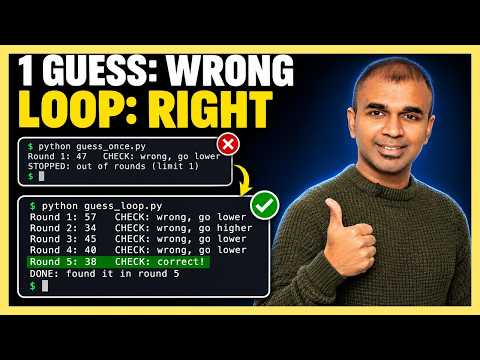
Mervin Praison shows 'loop engineering': an AI guesses a secret number, your code checks each guess and sends back higher/lower hints, and a round limit stops the run. Try, check, feedback, stop, in 25 lines with PraisonAI and an OpenAI key.
Matt Wolfe has AI label every photo on his iPhone as screenshot, blurry, too far away or worth keeping, then files them into albums and builds one best-shots album from 58 trips.
Matt Wolfe · YouTube · published Nov 12, 2026 · Productivity
 ▶ Watch on YouTube
Go through all the photos in my library. For each photo pick exactly one label from this list: screenshot, blurry, accidental pocket shot, too far away, worth keeping. Then file each photo into an album with that name. Next, score every trip photo for sharpness and framing and put the best ones from each trip into one 'Best of all trips' album.
Matt ran 5,600 iPhone photos through OpenAI's new decisions API, which picks one label from your list per photo. His app then files the photos into albums and builds a best-shots album across 58 trips.
The problem: A phone library fills with accidental pocket shots, screenshots, blurry and far-away photos that are tedious to sort by hand.
Matt built his own app; if you build apps, you can try the same idea in OpenAI's decisions playground.
Distilled from the video’s captions
Mervin Praison shows 'loop engineering': an AI guesses a secret number, your code checks each guess and sends back higher/lower hints, and a round limit stops the run. Try, check, feedback, stop, in 25 lines with PraisonAI and an OpenAI key.