
Mikey No Code interviews a subscriber about her workflow, keeps 4 features and parks 5, feeds Base44 one complete prompt, then fixes real-use problems with her screenshotted feedback.
Mikey builds Lumen, a liquid-glass journal app, in six Gemini 4 Argon prompts on Base44: tags and search, AI reflection, sign-up, Stripe premium and a final polish.
Mikey No Code · YouTube · published Oct 19, 2026 · Software & DevOps
 ▶ Watch on YouTube
Create [Lumen], a journal app in Apple iOS 26 liquid glass design: soft gradient background, frosted glass cards, glass navigation, a home screen with a daily entry card, an entry list by date, and an editor with a title, text and five moods. Save entries in the database. Leave tags, search, AI, accounts and payments for later.
Mikey builds a complete journal app called Lumen in Base44 with six prompts to Gemini 4 Argon, adding features in layers instead of one big prompt. He tests the published app as a brand-new user, from sign-up through the Stripe premium upgrade.
The problem: Most AI app videos stop after the first impressive prompt. The real test is whether the model stays coherent as the 10th decision has to agree with the first nine.
The same approach can work for other app ideas: start with the basics, then add features in small prompts.
Test the published version, not just the preview, since a feature can behave differently once live.
0:00Intro: multi-prompt real app test2:12Select Gemini 4 Argon in Base443:33Prompt 1: app shell and liquid glass UI7:09Prompt 2: organization tools10:03Prompt 3: AI reflection and assistant chat12:56Prompt 4: authentication and publishing15:10Prompt 5: PIN locking and Stripe18:19Prompt 6: global polish19:59End-to-end test as a new user23:31SummaryDistilled from the video’s captions
Mikey No Code interviews a subscriber about her workflow, keeps 4 features and parks 5, feeds Base44 one complete prompt, then fixes real-use problems with her screenshotted feedback.
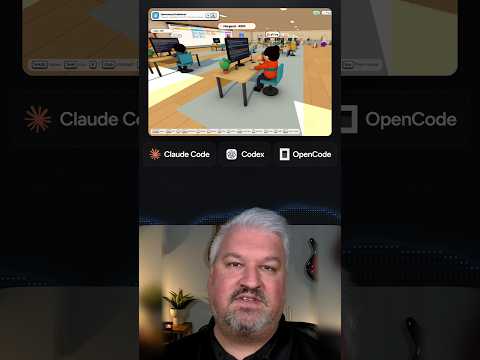
Leon shows cubefarm, which turns a coding agent swarm into a 3D office: Claude Code, Codex and OpenCode agents pick up GitHub issues from a Kanban board and open real pull requests.

Chase shows how Claude Projects lets you talk to one agent that manages many always-on Claude Code sessions in the cloud, sharing context and memory, with a setup demo.

Jack shows Replica, a free set of eleven Claude skills that reads an app's negative reviews, maps every screen, rebuilds it, tests each flow and fixes what users hate.