
Mikey builds Lumen, a liquid-glass journal app, in six Gemini 4 Argon prompts on Base44: tags and search, AI reflection, sign-up, Stripe premium and a final polish.
Chase shows how Claude Projects lets you talk to one agent that manages many always-on Claude Code sessions in the cloud, sharing context and memory, with a setup demo.
Chase AI · YouTube · published Oct 16, 2026 · Software & DevOps
 ▶ Watch on YouTube
Using Claude Projects, create a project for [my app] and have the lead agent split the work into [number] cloud sessions (frontend, backend, tests), share context between them, and report progress back to me.
Claude Code projects lets you talk to one coordinator agent that splits your work across a fleet of full, persistent Claude sessions running 24/7 in Anthropic's cloud, sharing context and memory and opening PRs in your GitHub repo. It draws from your Max plan usage, not API costs.
The problem: Normally you manage every terminal and agent yourself, keep them on the same page, and the work stops the moment your laptop shuts down.
Apply on the wait list page, then open Projects beta in the Claude desktop app.
Turn on auto-continue so work resumes when your usage limit resets.
0:00What Claude Code projects is0:41Why it matters: Claude as project manager2:24How to get access3:43When to use it and when not to5:24Projects vs. subagents6:52Demo: create a project7:47Settings: models, memory, environment12:23Giving it the AI Creator Radar prompt13:08Five threads after 25 minutes14:34Clearing blockers with secrets15:56The finished dashboardDistilled from the video’s captions
Mikey builds Lumen, a liquid-glass journal app, in six Gemini 4 Argon prompts on Base44: tags and search, AI reflection, sign-up, Stripe premium and a final polish.
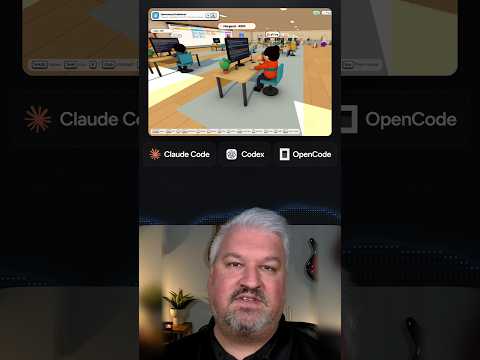
Leon shows cubefarm, which turns a coding agent swarm into a 3D office: Claude Code, Codex and OpenCode agents pick up GitHub issues from a Kanban board and open real pull requests.

Jack shows Replica, a free set of eleven Claude skills that reads an app's negative reviews, maps every screen, rebuilds it, tests each flow and fixes what users hate.

Riley shows eight everyday jobs Claude Code handles better than chat Claude: designing websites, building 3D models in Blender, editing videos and spinning up internal tools.