
Mikey builds Lumen, a liquid-glass journal app, in six Gemini 4 Argon prompts on Base44: tags and search, AI reflection, sign-up, Stripe premium and a final polish.
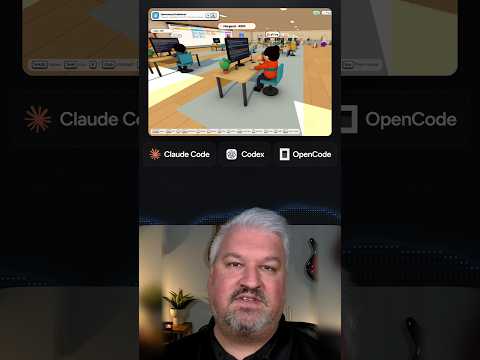
Leon shows cubefarm, which turns a coding agent swarm into a 3D office: Claude Code, Codex and OpenCode agents pick up GitHub issues from a Kanban board and open real pull requests.
Leon van Zyl · YouTube · published Oct 18, 2026 · Software & DevOps
 ▶ Watch on YouTube
Set up cubefarm so that Claude Code, Codex and OpenCode agents each take GitHub issues from the [repo] Kanban board, work on them in parallel, and open a pull request for each issue.
A coding agent swarm shown as characters in a 3D office: each agent runs a real coding harness like Claude Code or Codex, takes GitHub issues from a Kanban board, and keeps working in the background until its pull request is tested and verified.
The problem: No one said an agent harness should be boring, yet watching a swarm of coding agents usually means staring at terminals.
The video is a short demo, not a tutorial. These are the pieces it shows.
Distilled from the video’s captions
Mikey builds Lumen, a liquid-glass journal app, in six Gemini 4 Argon prompts on Base44: tags and search, AI reflection, sign-up, Stripe premium and a final polish.

Chase shows how Claude Projects lets you talk to one agent that manages many always-on Claude Code sessions in the cloud, sharing context and memory, with a setup demo.

Jack shows Replica, a free set of eleven Claude skills that reads an app's negative reviews, maps every screen, rebuilds it, tests each flow and fixes what users hate.

Riley shows eight everyday jobs Claude Code handles better than chat Claude: designing websites, building 3D models in Blender, editing videos and spinning up internal tools.